Publish ribbon
Purpose
The Publish ribbon contains tools useful for creating figures for presentation or publication.
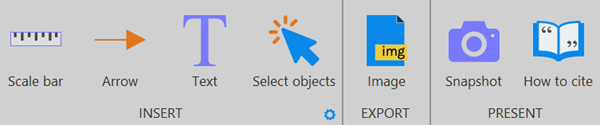
Publish groups
Insert
|
|
Add a scale bar to your tracing, embed a scale bar in an image, or display a scale bar while using BrightSLICE. For more details, see Scale bar. |

|
Place an arrow to point to specific structures. Use in conjunction with Text for more detailed annotations. See Arrow for more information. |

|
Add text to your image, for example to label structures of interest. For more instructions, see Text. |

|
Use to select scale bars, arrows, text or any other objects for editing. For more information, see Select objects. |

Export
|
|
This tool generates a raster image (also known as bitmap) (.tif, or .jp2) and enables you to save images along with tracings. You can choose to include just a portion of the tracing, modify colors, add a scale bar, specify the size of the exported image. See Export tracing in image format (.tif, .jp2) for more information. |

Present

|
Capture a screen shot of what is currently displayed in the main software window. See Snapshot for more information. |
|
|
Click for detailed information on how to cite MBF Bioscience software products. See Citing MBF Bioscience software in your paper. |
