Quick Access tools
Purpose
The top of the 2D window includes tools to help speed up your work. Add tools to the Quick Access bar or use the Quick Launch to find and launch the tool you're looking for.
Quick Access bar
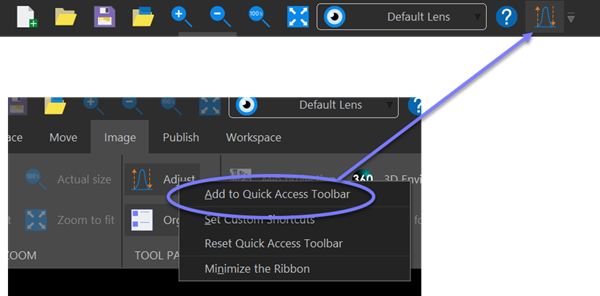
The Quick Access bar contains the most frequently used tools.
Add any tool in the 2D window to the Quick Access toolbar by right clicking on it and choosing Add to Quick Access Toolbar.
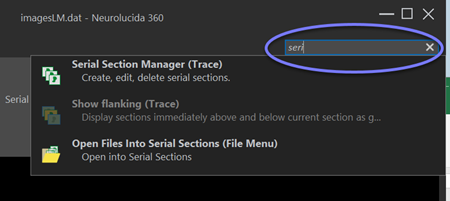
Quick Launch/Tool search
If you can't find a tool, but know its name, type it into the Quick Launch box on the top right of the 2D window. Neurolucida 360 software searches for the tool and displays choices. Just click a choice to go to that tool.