Track workflow > Setup Worm Detection and Tracking
Set Up Worm Detection and Tracking
Purpose
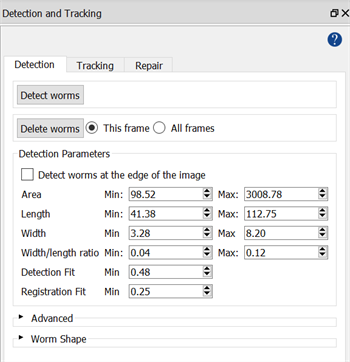
Adjust and test detection settings and tracking parameters for worms. Settings and parameters are contained in the Detection and Tracking panels.
This step is for adjusting worm settings only. To implement custom detectors for objects other than worms, see Use Custom Detector.
Enabling Worm Tracking
Enable Worm Tracking: Check the box to enable worm detection. If unchecked, worms will not be detected, only custom object detectors will be used.
-
Enabled:
-
WormLab will detect and track worms and any other objects that have custom object detectors loaded in the Use Custom Detector step of the workflow.
-
If no custom detectors are loaded in the Use Custom Detector step of the workflow, only worms will be detected and tracked.
-
-
Disabled:
-
WormLab will detect only objects that have custom object detectors loaded in the Use Custom Detector step of the workflow.
-
If no custom object detectors are loaded, nothing will be detected and tracked.
-
Panels
Detection: Contains settings and controls for worm detection. See Detection panel.
Tracking: Contains parameters for worm tracking. See Tracking panel.
Watch a tutorial video on our YouTube channel.