Colocalization
Purpose
Colocalization proximity count analysis enables you to detect interactions or events between different tracked objects. This provides a way to extract structured behavioral events from complex datasets, using both worm and generic object tracking capabilities.
With this feature you can measure spatial and temporal overlap between any combination of detected object types or individual object instances and identify biologically meaningful events based on object proximity. For example, detect egg-laying events by identifying when a worm overlaps with the start of a new egg track.
Proximity Count
The Proximity count table and graph show the number of colocalization instances through time. Change the Proximity count parameters to adjust the data output, then click to update the table and graph.
Parameters:
-
Max relative distance: Set the maximum distance between two potential colocalized objects by typing in the text box or using the up and down arrows.
-
Current Object: The object that Colocalization analysis was selected for.
-
Selection: From the dropdown menu, select what should be included in the colocalization detection:
-
All instances: Include all possible locations on the track.
-
Track start: Only include the start point of a track.
-
Track end: Only include the end point of a track.
-
-
-
Target Object: Choose the object to colocalize with from the dropdown menu.
-
Selection: From the dropdown menu, select what should be included in the colocalization detection:
-
All instances: Include all possible locations on the track.
-
Track start: Only include the start point of a track.
-
Track end: Only include the end point of a track.
-
-
-
Click to update the data tables and graphs with the current parameter selections.
Kalman Smoothing:
|
Possible issue affecting analysis:
|
Possible solution:
|
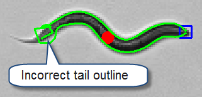 Midpoint shifts may occur as a result of the model fit, briefly translating as incorrect tail outlines during tracking.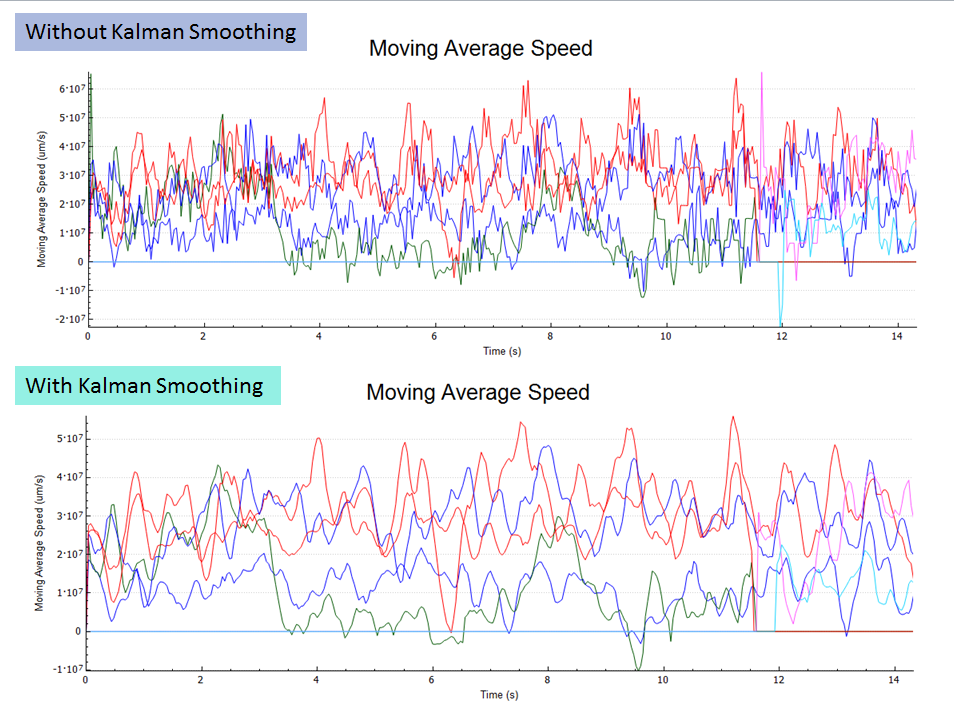
Click to export the current data to Excel.