Editing section outlines
Before editing, zoom and pan as needed to obtain a clear view of the sections.
- To zoom, use one of these buttons in the Move ribbon.
- To navigate, click the arrows in the Move ribbon or press the arrow keys on the keyboard.
To edit an outline, click it first to select it. The selected outline is represented by a series of white points. 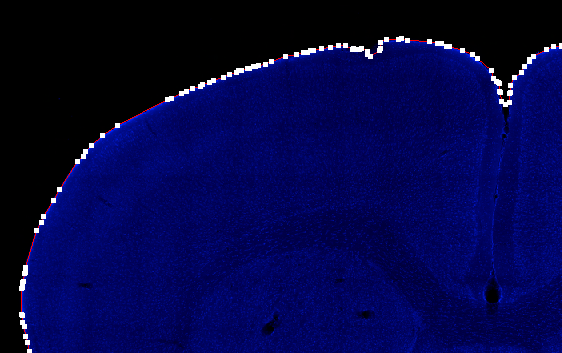
 Editing section outlines using the workflow tools
- Select an outline.
- Click the Split, Merge or Remove button.
- Hold down CTRL and click the other outline.
- Click the Merge button.
To merge:
Editing section outlines manually
Use the outline points representing the selected outline.
- To move a point, drag the point with the mouse.
- To delete a point, hover over the point, right-click and select Delete Point.
- To insert a point:
- Click the outline to select it.
- Right-click near the outline.
- Select Insert Point in Selected Contour from the right-click menu.
- Click the location on the outline where you want to insert the point.
Creating a placeholder for a missing tissue section
- Click the Add button.
- Select Placeholder for a missing section.
- Click on the slide to add the placeholder (represented by a red square).
See Working with missing sections for the full procedure throughout the workflow.
Drawing an outline manually
You may have deleted an existing outline, or a tissue section wasn't delineated.
- Click the Add button.
- Select Manual contour.
- Draw the contour with the mouse:
- Click in the image to place the first point of the outline and continue clicking to place all the outline points around the section.
- Right-click and select Close contour.
Deleting an outline
- Click to select the outline.
- Press the Delete key on the keyboard.